


InTune sync reads information from your InTune environment and either creates or updates existing Assets within your environment by matching the azureADDeviceID property.
To synchronize InTune devices with Tikit Asset Management, you will need to setup an App Registration within your Azure tenant and set those values in Asset Management settings. We need the Azure Tenant ID, Intune App ID, and InTune Secret.
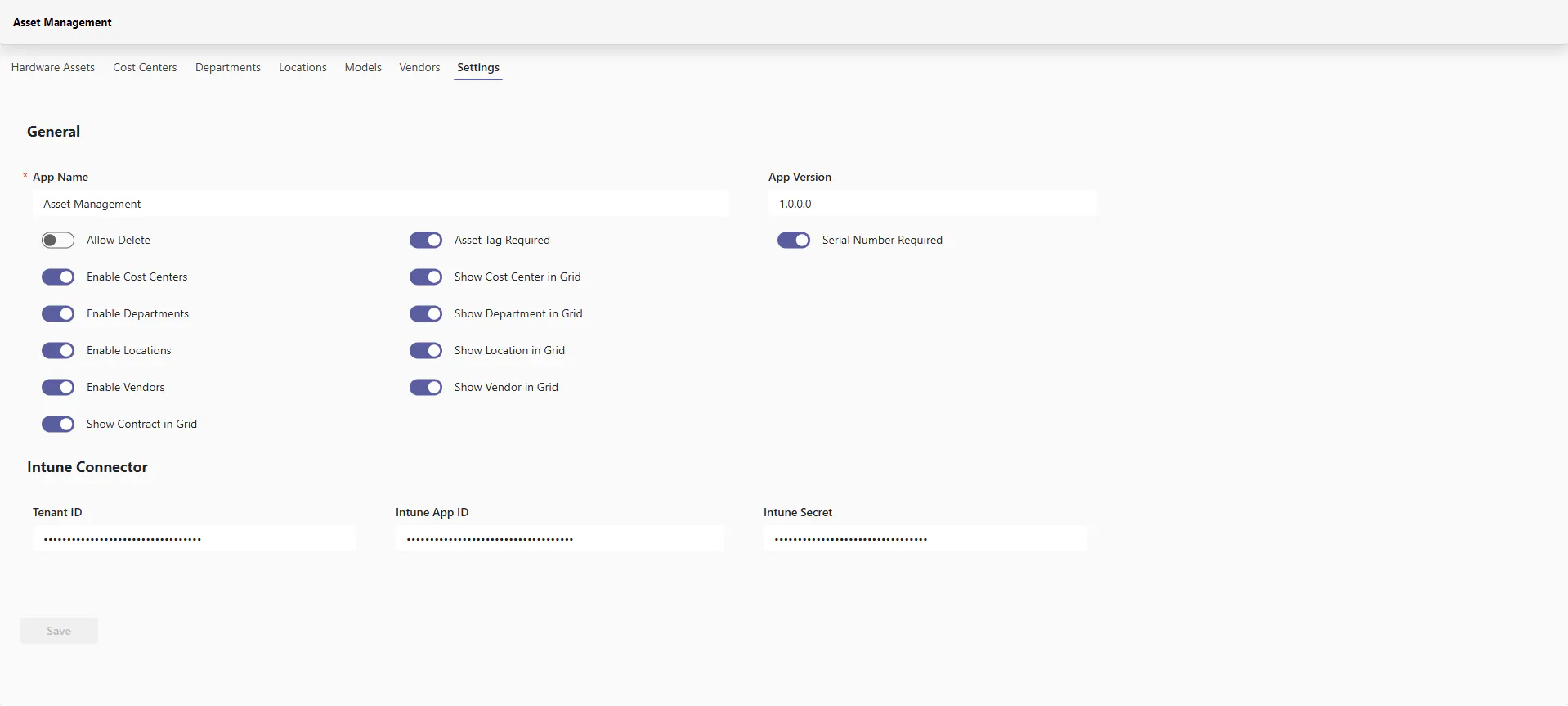
Register an Application within Azure
Navigate to Azure Portal - App Registrations to view app registrations within your tenant. If you cannot see or create App Registrations, you will need more permissions or an Azure Administrator within your organization to continue.
Click on New registration
Fill out the following form:
Name: Give the application a memorable name such as "Tikit Intune Asset Sync"
Supported account types: Leave selected as "Single tenant only"
Leave Redirect URIs blank
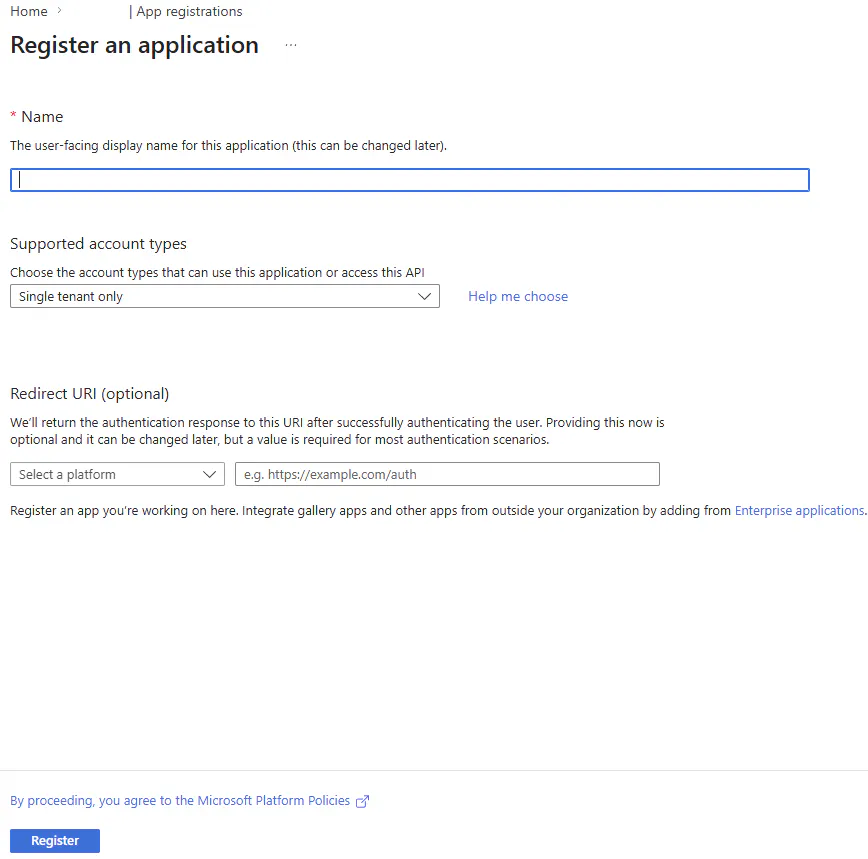
Click Register
Configuring API Permissions
On the next page, navigate to API Permissions and click Add a permission
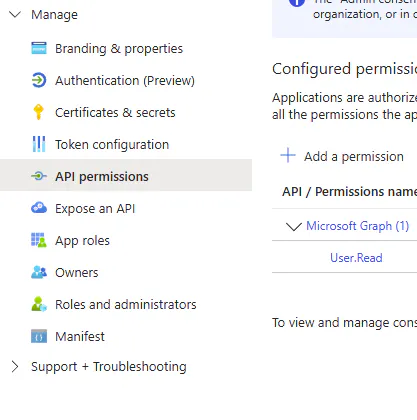
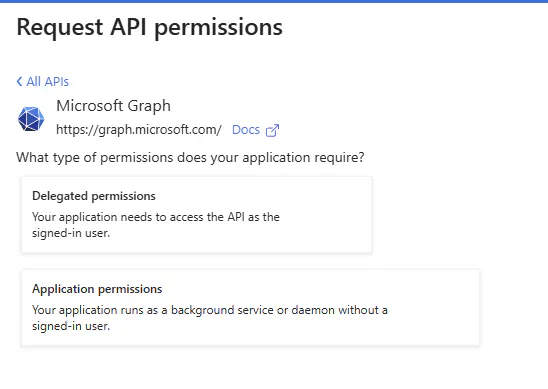
Click on Microsoft Graph
Then click Application permissions
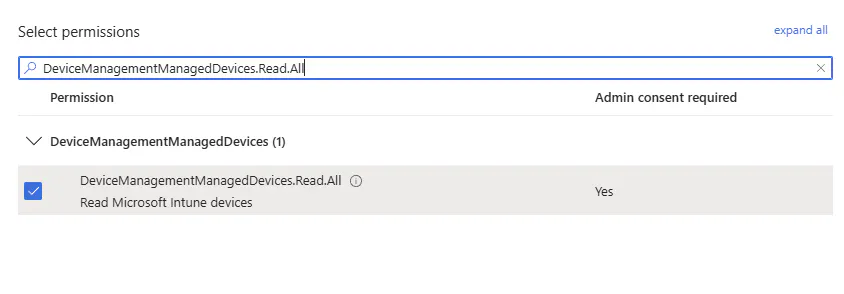
Search for DeviceManagementManagedDevices.Read.All and check it off then click on Add permissions
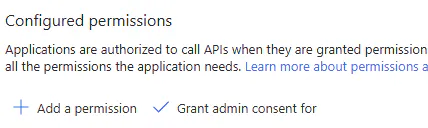
Click on Grant admin consent for TENANT, where TENANT is the name of your organization
Configure a Secret
A secret is akin to a password. In this context, the secret grants the ability to read all InTune device data.
Click New client secret
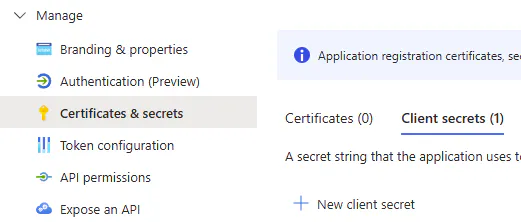
Provide a description and set an expiration date, then click Add
With your secret created, the Value field will only be shown once. If you forget or navigate away from the page, you cannot recover the value. You must repeat these steps and create a new secret.
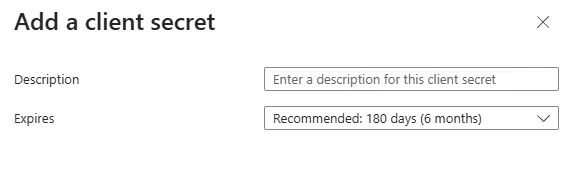

This value is your Intune Secret paste the value into your Asset Management settings and save.
Obtain your Azure Tenant ID and App ID
Finally, we need to obtain the App ID (client ID) and Tenant ID (directory ID)
Navigate to Overview
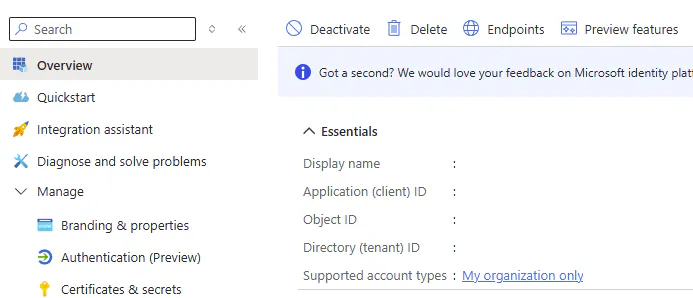
Copy the Application (client) ID and paste it into the Intune App ID field within Asset Management
Copy the Directory (tenant) ID and paste it into the Tenant ID field within Asset Management
Click to save the settings
The InTune Connector runs every 24 hours at 1am relative to your time zone.