With Group Chat for Tikit, you can converse in Teams with a ticket that is always related to the ticket at hand. This gives Agents, Requesters, Affected Users, and Collaborators a way to discuss in real time or asynchronously about the ticket they are working on.
Getting Started
To use Group Chat, you must feature consent to use Group Chat.
Navigate to Settings > Consent Management and enable consent for Group Chat
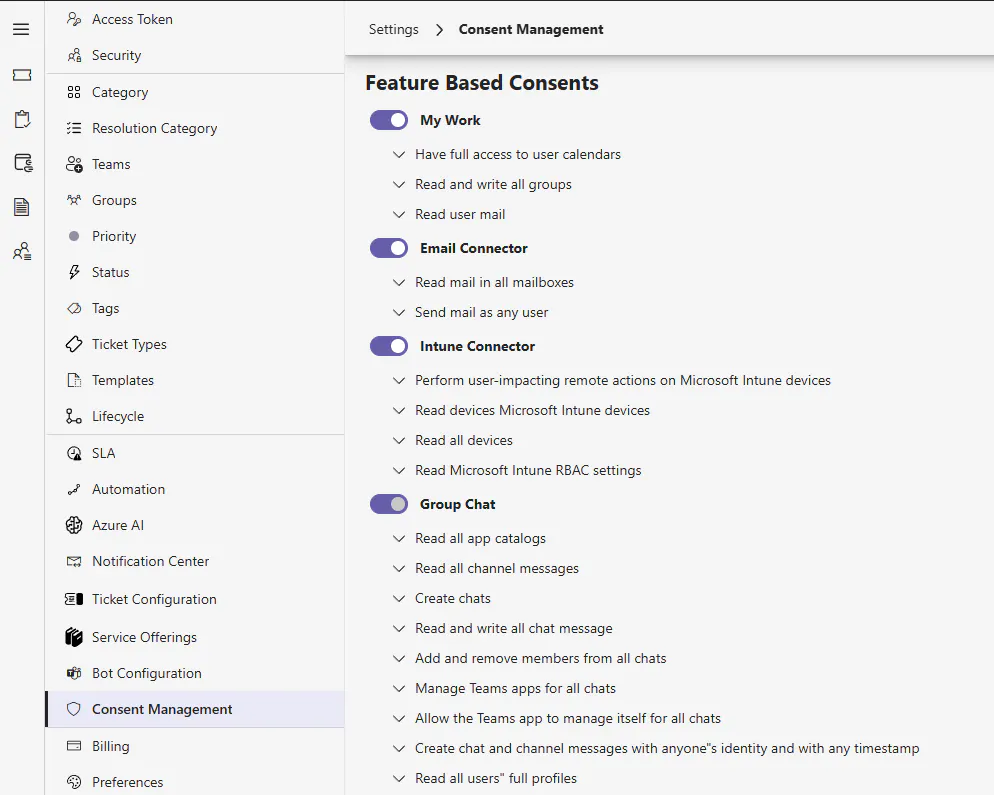
Click "Update Consent" in the top right. Microsoft will prompt
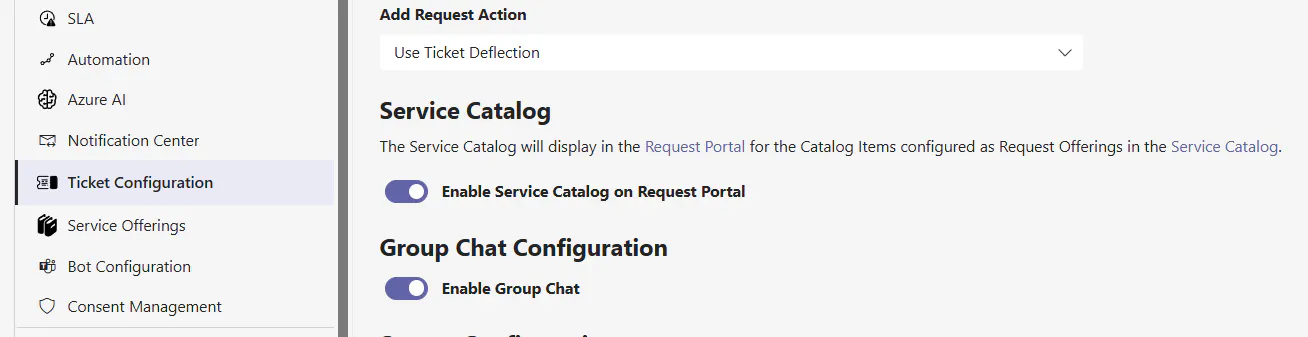
Group Chat can now be enabled in Ticket Configuration.
Once enabled, Group Chats can be created on a per ticket basis by Agents
Create a Group Chat
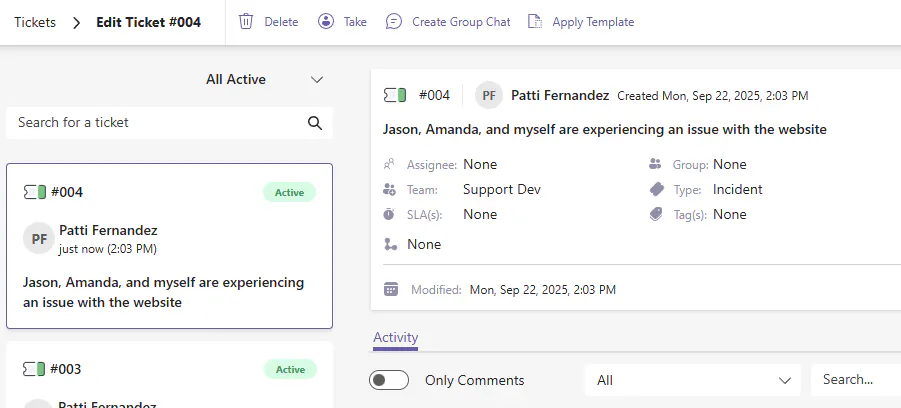
Initiating a Group Chat is done by an Agent from the Agent portal directly on a ticket as seen below by clicking "Create Group Chat"
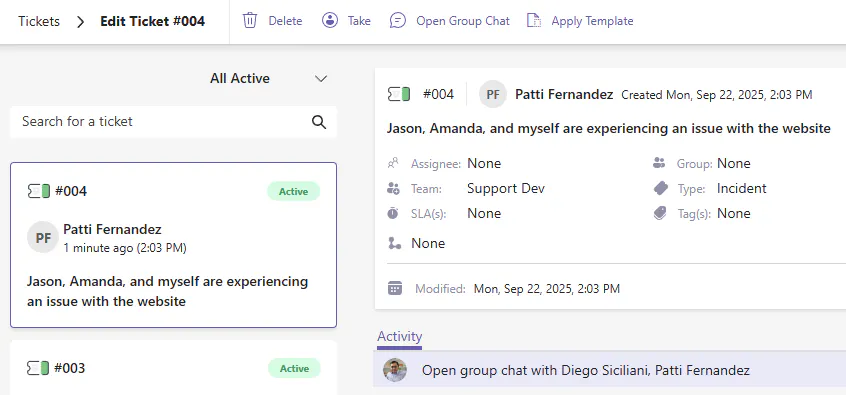
Once clicked, the button becomes "Open Group Chat" and a banner is placed above the Activity area that allows you to jump directly into the Teams Group Chat.
When a Group Chat is created the following occurs:
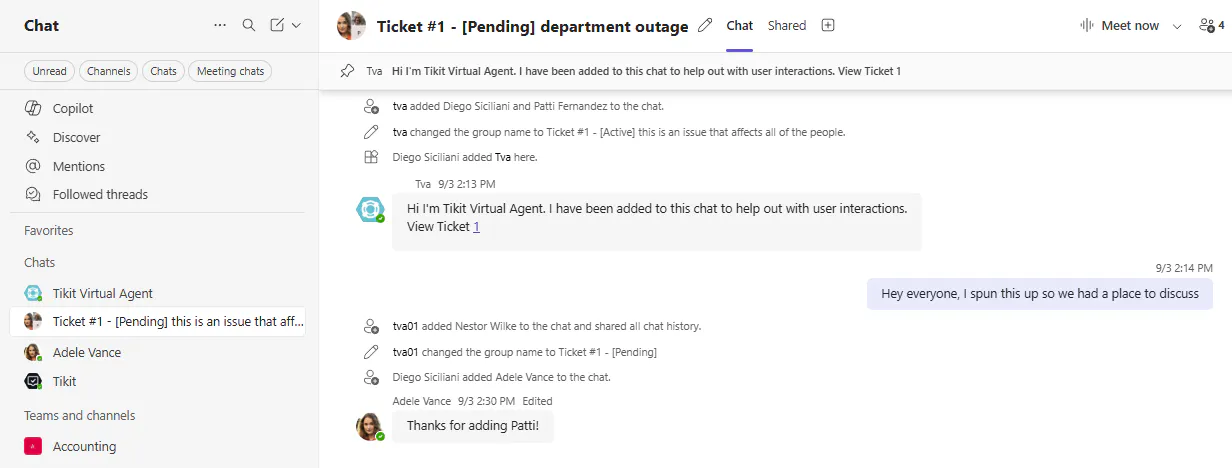
The Requester, Affected Users, Assignee, and Collaborators are brought into a Microsoft Teams Group Chat
Tikit Virtual Agent introduces itself to the Group Chat and is a member of the chat to control:
Users added/removed from the Ticket Agent Portal will be added/removed from the Group Chat
Users added or removed from the Group Chat, will be added/removed from the ticket
When users are added from the Agent Portal, Tikit Virtual Agent will automatically share the entire chat history.
If the Request and/or Status is changed in the Agent portal, the Title of the Group Chat is updated accordingly
If the Requester/Affected User(s) attempts to remove an Agent from the Group Chat, Teams will allow this but very shortly after Tikit Virtual Agent will automatically add the user who was removed back. In this way, only Agents can control who is on the Group Chat by virtue of who is on the related ticket
Customizing Tikit Virtual Agent's Introduction
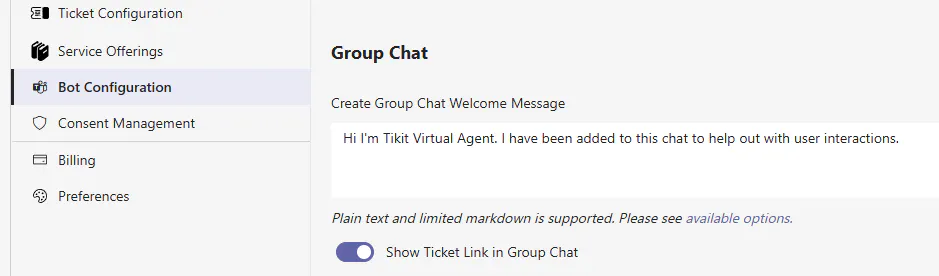
Within Bot Configuration, you can control Tikit Virtual Agent's welcome message and whether or not to include a link back to the ticket.